February 2026 (Part 3)
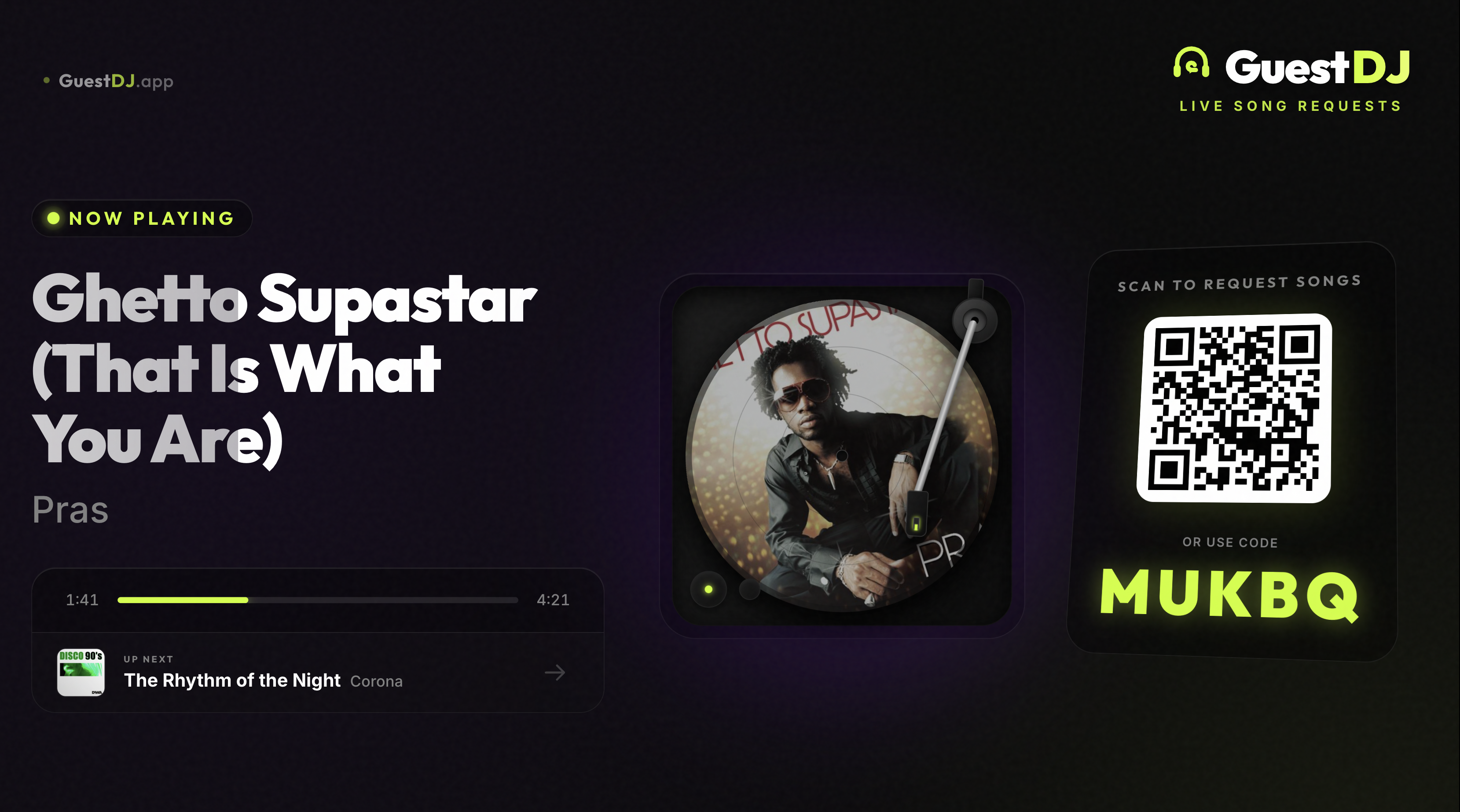
Redesigned Default Display
The default TV display has been completely redesigned with a cinematic turntable that spins your album art as a picture disc, a tonearm that tracks playback progress, a 3D floating QR card, live progress bar, Up Next preview, and a scrolling trending ticker. Optimized for 4K TVs and projectors.
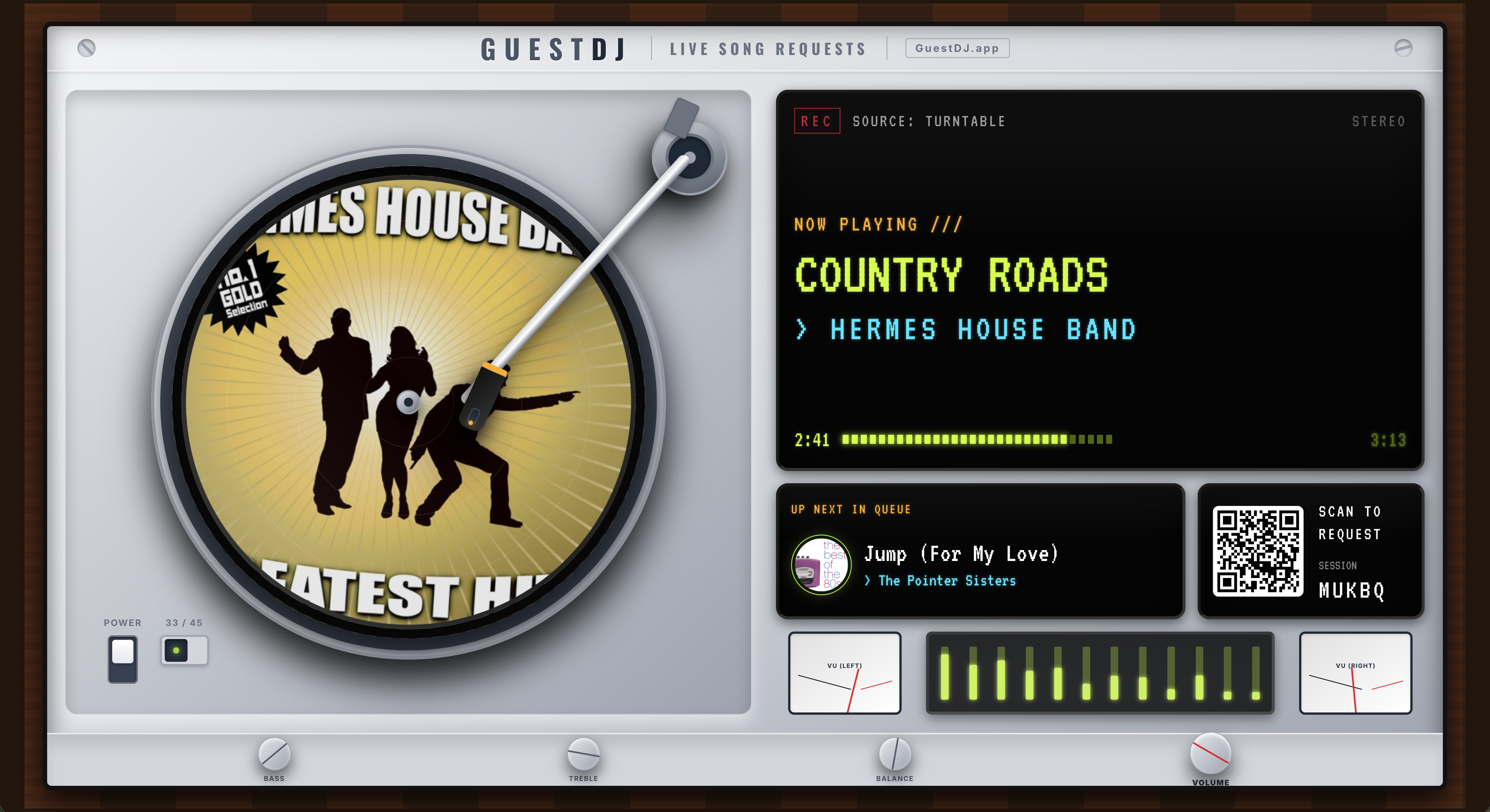
Hi-Fi Display Mode
A brand new skeuomorphic display mode inspired by classic hi-fi stereo receivers. Features a walnut wood cabinet, brushed aluminum faceplate, vinyl turntable with picture disc, VFD-style track information screens, animated VU meters, a 12-band EQ spectrum analyzer, and retro control knobs. Select it from Settings > Display Mode > Hi-Fi.
Progress bar and Up Next on all displays
Every display mode — Default, Hi-Fi, SingAlong, Jukebox, Wedding, and Sponsor — now shows a live progress bar, spinning vinyl album art, and an Up Next preview of the next song in the queue.
Apple Music subscription check
GuestDJ now detects whether you have an active Apple Music subscription when you connect and during playback. If your subscription is missing or expired, you'll see a clear message explaining what's needed.
Jukebox display polish
Improved readability on the Jukebox display with better contrast, fixed vinyl overflow on smaller screens, and a more visible request call-to-action.
Large playlist support
Loading playlists with hundreds of songs is now faster and more reliable. Improved queue sync guards prevent duplicates and ordering issues.
Unavailable tracks removed automatically
Songs that become unavailable on Apple Music (region changes, licensing, etc.) are now automatically detected and removed from the queue instead of causing playback errors.
Add to Queue behavior
Fixed an issue where 'Add to Queue' from a playlist would replace existing queue items. It now correctly appends songs to the end of your current queue.
February 2026 (Part 2)
SingAlong Mode
Turn any screen into a karaoke stage! Select the SingAlong display mode in Settings to show line-by-line synced lyrics in real time on TVs and projectors. Includes animated prompts, instrumental break detection, and smooth transitions. Note: lyrics sync line-by-line, not word-by-word.
Mobile SingAlong lyrics
Enable 'Show Lyrics to Guests' in Settings and guests can follow along with synced lyrics on their phone. Includes landscape immersive mode and a compact now-playing bar.
Track info on TV display
The TV display now shows track name and artist below album art during song intros and outros.
Feedback button in navigation
The feedback button is now integrated into the bottom navigation bar on mobile for easier access.
February 2026
Load playlist mid-session
You can now load playlists into an active session. Choose 'Add to Queue' to append songs, or 'Replace Queue' to swap your entire queue with a new playlist.
Clear queue button
Quickly clear your entire queue with the new Clear Queue button. You can choose to keep the currently playing song while removing everything else.
Request priority
Guest requests now always have higher priority than DJ-added songs and playlist songs. The queue automatically sorts: Requests first, then DJ songs, then playlist songs.
Better queue ordering
First-requested songs now always appear first in the queue (FIFO order), regardless of which order you approve them.
Drag and drop improvements
Reordering songs in long queues is now smoother with improved auto-scroll when dragging items to the top or bottom.
Pause/Play behavior
Fixed an issue where pressing play after pause would skip to the next song instead of resuming the current track.
Queue synchronization
Fixed issues with queue synchronization between the dashboard and Apple Music playback.
Request tag display
DJ-added songs no longer incorrectly show the 'REQUEST' tag. Only actual guest requests display the tag.
January 2026
Replay songs
DJs can now allow guests to request songs that have already been played earlier in the session. Perfect for parties where favorite tracks deserve an encore!
Better TV display
Display mode now works perfectly on all screen sizes - from small projectors to large TVs. Content scales automatically.
Shorter display URL
Easier to type on TVs and projectors with the new short URL: guestdj.app/d/CODE